Archive for the ‘Java’ Category

Musicker v1.

Sunday, April 20th, 2008

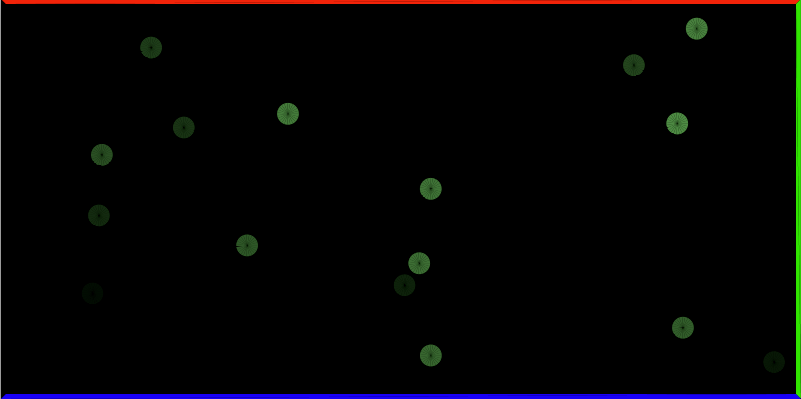
I’ve been wanting to make a sound-generating game for a while, I’m always inspired when I play games like Rez, Every Extend Extra, and ElectroPlankton. However, what I don’t want to do is make a Rez clone where there are already constructed songs that you just trigger new layers in and I don’t want to do a beat matching game because Harmonix already has that market cornered. So I’ve started working on a little sound-generating game/toy. It plays like a really simple shmup, but the mechanics are really just an interface to building up sound over time. You can fly a little ship around with some amoebas and they will just harmlessly bounce off of your ship. If you shoot an amoeba it will add a note to a music loop that plays throughout. This loop starts out with nothing in it, so the beginning of the game is silent. The color of each amoeba directly maps to the pitch and velocity of the note that they will create, but it is a narrow range so it is not immediately obvious what note you will get.

Play it.

There are still a few things that I want to add, both visual and aural, but the basic idea is there. I will probably also be writing my own Sequencer implementation because the one that comes with Java hiccups sometimes and doesn’t do track muting properly. Or, rather, it probably does track muting exactly how the author of the implementation intended, but that intent is not one that I agree with. If Processing didn’t make it so easy to create visuals I think I would have totally given up on audio/midi in Java by now.

Minim Manual Finished

Tuesday, January 1st, 2008

Well, I accomplished one of my two goals and finished writing the Minim manual. Hopefully it is clear and will be a useful reference for people. I wasn’t able to push out a new release because of holiday parties, distractions from other projects, and so forth.

Some good news for Minim development, however, is that I finally got around to setting up my PC to dual boot Ubuntu and Windows XP, so I’ll be developing primarily in Linux and then testing things back in Windows. I have already discovered that Linux is pretty tetchy, has latency issues, and is just generally not as great for audio. I have an idea for how to solve the latency issue, but it will require pretty significant recoding. I may just release a new version of Minim within the next month to make some small API changes available and then push dealing with the latency issue into the following release. I’m going to try to be better about semi-regular releases so that when people send me bugs I deal with them quickly and then release a new version.

Primaries: First Pass

Sunday, August 26th, 2007

I’ve started working on a game for Gamma 256. It’s an idea that literally came to me at about 2am in the morning. I sent a brief design doc to Fish and Heather and incorporated some of their feedback into the design. I’ve just finished the first gameplay prototype. The basic idea is to match three or more colored tiles in a row. The catch is that there are three grids, each corresponding to a primary color (RGB), and the tile and grid have to be the same color for a match to work. In other words, red tiles are matched in the red grid and so forth. To move tiles around you position selection boxes in each of the three grids and the swap tiles between them either clockwise or counter-clockwise. If a swap results in a match in two grids, then a tile that is the mixture of the two, like red and blue making magenta, drops in the top of one of the two grids. Since magenta is red and blue mixed, magenta tiles can be matched in the red and blue grids. Anyway, describing this with words is silly, just go try out the prototype:

http://code.compartmental.net/primaries/proto1

Minim 1.1 Released!

Sunday, June 3rd, 2007

I’m very happy to announce the release of Minim 1.1!

If you’ve been using Minim 1.0, there are some important changes you need to be aware of:

Another major change from 1.0 is the inclusion of a bunch of Interfaces that define library functionality. Essentially what I’ve done is defined how everything in the library should behave and then written an implementation of that spec. This is why createRecorder takes Recordable as the first argument and not an AudioInput or other concrete class. The use of Interfaces shouldn’t break any of your existing code because I used the existing methods of Minim as the starting point for the Interfaces.

I fixed a host of bugs relating to mp3 playback for this release. They should behave exactly like WAV and AU files now. There are many more examples now, one for each method of each Interface that defines the functionality of Minim classes. Examples are organized by Interface, rather than by concrete class, hopefully this isn’t too confusing for people.

Please let me know if you have any problems or questions!

Minim 1.1 Coming Soon.

Monday, May 28th, 2007

I was recently motivated to revisit Minim when I got a note about it from Casey Reas, one of the initiators of Processing. Man oh man did I revisit it. The implementation details went through two waves of refactoring, but I think I’ve gotten it to a place that I’m happy with. I’m only incrementing the version number by .1 because I haven’t added any new features. I just changed the names of a couple public classes, made all the implementation details package private so that they don’t clog up the Javadoc, and fixed some bugs relating to mp3 playback.

Additionally, the API is now defined by several interfaces, which opens up the possibility for people to write their own implementation of a file reader, for example. I’m not sure why anybody would actually go to the trouble of doing that, but the possibility exists, nonetheless. Defining the API in terms of interfaces helped me a great deal with standardizing the methods of different public classes that can do similiar things (like applying effects to an audio stream).

I hope to do a release this coming weekend, but it depends on how quickly I can whip the examples into shape. But do keep an eye out!

The Dreaded Double Diamond

Thursday, April 19th, 2007

So I’m porting the graph packages from Ptolemy II to C++ and I’ve finally gotten to the point where I can unit test some of it. I was going to start writing tests for the Graph class but when I ran the suite I got errors about some missing implementation in the graph library. A couple of those were methods I did actually miss, but one of them turns out to be the result of multiple inheritance. When you read about multiple inheritance there’s always mention of the dreaded diamond. Well, after sketching out the inheritance tree I’ve discovered I have a case of the dreaded double diamond!

The Dreaded Double Diamond!

This is what the Java inheritance tree looks like. However, it should be noted that all of the Analyzer classes are Java interfaces, which means it makes perfect sense in Java. However, porting this over to C++ is a bit stickier. My initial response to it was “this is silly”, so I broke the Analyzer-Strategy connection and the CachedStrategy-GraphAnalyzer connection. This prettied things up quite a bit. However, now it’s come back to bite me in the ass!

Analyzer defines a pure virtual toString() method. CachedStrategy implements a virtual toSting() method but it is not overriding Analyzer’s because it is no longer deriving from Analyzer. SelfLoopStrategy also implements a virtual toString() method and I thought that this would work not only as an overriding method for the implementation in CachedStrategy, but also as the implementation required by Analyzer. But this is not the case. As it happens, elsewhere in the code, toString() is invoked on a GraphAnalyzer and it doesn’t know where to find the implementation. This makes sense after reading about the subtleties of multiple inheritance. The question I am faced with now is whether I want put the double diamond inheritance scheme back into the C++ code. It makes me a little uneasy is all, there’s this little voice in my head saying, “there’s got to be a better way!”

If I was to use the double diamond, I’m pretty sure the way to handle it would be for Strategy and GraphAnalyzer to inherit Analyzer virtually and then for CachedStrategy and SelfLoopAnalyzer to inherit from GraphAnalyzer virtually. This would give SelfLoopStrategy the responsibility of calling the constructors for GraphAnalyzer and Analyzer. Oh multiple inheritance gurus, have I got that right? Is there a better way?

Live Code v01

Thursday, April 19th, 2007

Last night I was thinking about live coding and also about how Java has reflection built into it. So, even though there is a forum topic about live coding with Processing, I decided to code up a simple sketch that evaluates a single line of Processing code and continually draws the result. There are drawbacks, of course, namely that you can’t specify fills or stroke colors and you can’t change the background color. However, in the next iteration I plan to ditch the textfield being used and instead use a textbox that will be evaluated in draw without the user having to press the enter key. Probably I should check out the tools talked about in the forum topic, but I like the idea of having a sketch that is itself an interpreter, rather than using a more generic tool for evaluating Java. Then again, I may discover that building something even marginally useful is more complicated than I care to implement, at which point I will probably turn to an existing tool. In the meantime, please enjoy:

Live Code v01

Minim: An Audio Library for Processing

Tuesday, March 27th, 2007

It’s here, the first release of my audio library for Processing: Minim.

Here are some of the cool features:

  • Released under the GPL, source is included in the full distribution.
  • AudioFileIn: Mono and Stereo playback of WAV, AIFF, AU, SND, and MP3 files.
  • AudioFileOut: Mono and Stereo audio recording either buffered or direct to disk.
  • AudioInput: Mono and Stereo input monitoring.
  • AudioOutput: Mono and Stereo sound synthesis.
  • AudioSignal: A simple interface for writing your own sound synthesis classes.
  • Comes with all the standard waveforms, a pink noise generator and a white noise generator. Additionally, you can extend the Oscillator class for easy implementation of your own periodic waveform.
  • AudioEffect: A simple interface for writing your own audio effects.
  • Comes with low pass, high pass, band pass, and notch filters. Additionally, you can extend the IIRFilter class for easy implementation of your own IIR filters.
  • Easy to attach signals and effects to AudioInputs and AudioOutputs. All the mixing and processing is taken care of for you.
  • Provides an FFT class for doing spectrum analysis.
  • Provides a BeatDetect class for doing beat detection.

Visit the download page, then take a look at the Quickstart Guide or dive right into the Javadocs.

FFT Averages

Wednesday, March 21st, 2007

This post assumes you already know what an FFT is, so if you don’t, I suggest reading Chapter 8 and Chapter 12 of The Scientist and Engineer’s Guide to Digital Signal Processing. What I’m going to discuss is two different ways of averaging contiguous bands of an FFT. Before I do that, I’d like to review exactly what the frequency bands of an FFT represent.

What’s In An FFT?

Let’s say you have a sample buffer that has 1024 samples in it. If you run this through an FFT you will get a frequency domain described by two arrays that are each 1024 values long. However, typically the values in these arrays are not used directly. Instead, each pair of values (real[0] and imag[0], real[1] and imag[1], etc) is used to calculate the amplitude of each point in the FFT and that value is then used as the value of the spectrum at that point. Even more confusing to those new to the FFT is that the spectrum of 1024 samples is only 513 values long (the array runs from 0 to 512). The reason for this is because the values above spectrum[512] are, in practice, meaningless because they represent frequencies above the Nyquist frequency (one-half the sampling rate). So now we’ve simplified our two 1024 value arrays down to one array that is 513 values long. What do these 513 values represent, exactly?

Each point of the FFT describes the spectral density of a frequency band centered on a frequency that is a fraction of the sampling rate. Spectral density describes how much signal (amplitude) is present per unit of bandwidth. In other words, each point of an FFT is not describing a single frequency, but a frequency band whose size is proportional to the number of points in the FFT. The bandwidth of each band is 2/N, expressed as a fraction of the total bandwidth (i.e. N/2, which corresponds to the point at one-half the sampling rate), where N is the length of the time domain signal (1024 in our example). The exceptions to this are the first and last bands (spectrum[0] and spectrum[512]), whose bandwidth is 1/N. This makes more sense when talking about actual frequencies, so:

Given a sample buffer of 1024 samples that were sampled at 44100 Hz, a 1024 point FFT will give us a frequency spectrum of 513 points, with a total bandwidth of 22050 Hz. Each point i in the FFT represents a frequency band centered on the frequency i/1024 * 44100 whose bandwidth is 2/1024 * 22050 = 43.0664062 Hz, with the exception of spectrum[0] and spectrum[512], whose bandwidth is 1/1024 * 22050 = 21.5332031 Hz. Knowing this, we can get on to the business of averaging contiguous bands.

Linear Averages

We’ve got an FFT with 513 spectrum values, but we want to represent the spectrum as 32 bands, so we’ve decided to simply group together frequency bands by averaging their spectrum values. The obvious way to do this is to simply break the 513 values into 32 chunks of (nearly) equal size:

int avgWidth = (int)513/32;
for (int i = 0; i < 32; i++)
{
  float avg = 0;
  int j;
  for (j = 0; j < avgWidth; j++)
  {
    int offset = j + i*avgWidth;
    if ( offset < 513 )
    {
      avg += spectrum[offset];
    }
    else break;
  }
  avg /= j;
  averages[i] = avg;
}

The problem with this method is that most of the useful information in the spectrum is all below 15000 Hz. By creating average bands in a linear fashion, important detail is lost in the lower frequencies. Consider just the first average band in this example: it corresponds roughly to the frequency range of 0 to 689 Hz, that’s more than half of the keyboard of a piano!

Logarithmic Averages

A better way to group the spectrum would be in a logarithmic fashion. A natural way to do this is for each average to span an octave. Starting from the top of the spectrum, we could group frequencies like so (this assumes a sampling rate of 44100 Hz):

11025 to 22050 Hz
5512 to 11025 Hz
2756 to 5512 Hz
1378 to 2756 Hz
689 to 1378 Hz
344 to 689 Hz
172 to 344 Hz
86 to 172 Hz
43 to 86 Hz
22 to 43 Hz
11 to 22 Hz
0 to 11 Hz

This gives us only 12 bands, but already it is more useful than the 32 linear bands. We could now easily track a kick drum and snare drum, for example. If we want more than 12 bands, we could split each octave in two, or three, or whatever, the fineness would be limited only by the size of the FFT.

Knowing what frequency each point in the FFT corresponds to, and also how wide the frequency band for that point is, allows us to compute the logarithmically spaced averages. First we need to be able to map a frequency to the FFT spectrum. These functions will accomplish that (timeSize is N):

public float getBandWidth()
{
  return (2f/(float)timeSize) * (sampleRate / 2f);
}
 
public int freqToIndex(int freq)
{
  // special case: freq is lower than the bandwidth of spectrum[0]
  if ( freq < getBandWidth()/2 ) return 0;
  // special case: freq is within the bandwidth of spectrum[512]
  if ( freq > sampleRate/2 - getBandWidth()/2 ) return 512;
  // all other cases
  float fraction = (float)freq/(float) sampleRate;
  int i = Math.round(timeSize * fraction);
  return i;
}

This may not seem clear at first, but it is simply the inverse of mapping an index to a frequency, which was mentioned above: Freq(i) = (i/timeSize) * sampleRate. Here’s how we’d use these functions to compute the logarithmic averages listed above:

for (int i = 0; i < 12; i++)
{
  float avg = 0;
  int lowFreq;
  if ( i == 0 ) 
    lowFreq = 0;
  else
    lowFreq = (int)((sampleRate/2) / (float)Math.pow(2, 12 - i));
  int hiFreq = (int)((sampleRate/2) / (float)Math.pow(2, 11 - i));
  int lowBound = freqToIndex(lowFreq);
  int hiBound = freqToIndex(hiFreq);
  for (int j = lowBound; j <= hiBound; j++)
  {
    avg += spectrum[j];
  }
  // line has been changed since discussion in the comments
  // avg /= (hiBound - lowBound);
  avg /= (hiBound - lowBound + 1);
  averages[i] = avg;
}

This is hard coded to compute only 12 averages, which is not ideal, but it would be easy enough to determine the number of octaves based on the sample rate and the smallest bandwidth desired for a single octave.

LinLogAverages is an applet demonstrating the difference between linear averages and logarithmic averages.